English
 Tiếng Việt

Did you just get a pair of Solos AirGo V2 translation glasses that is trendy? Are you preparing to travel abroad? Do you need to work with foreign partners? Do you want to learn foreign languages more effectively? Are you worried because you don't know Are you planning a trip abroad? Do you need to work with foreign partners? Do you want to learn foreign languages more effectively? Are you worried about not knowinghow to use Solos AirGo V2guide you on how to use Solos AI glasses in detail. You will master this device quickly. Let's explore right below.
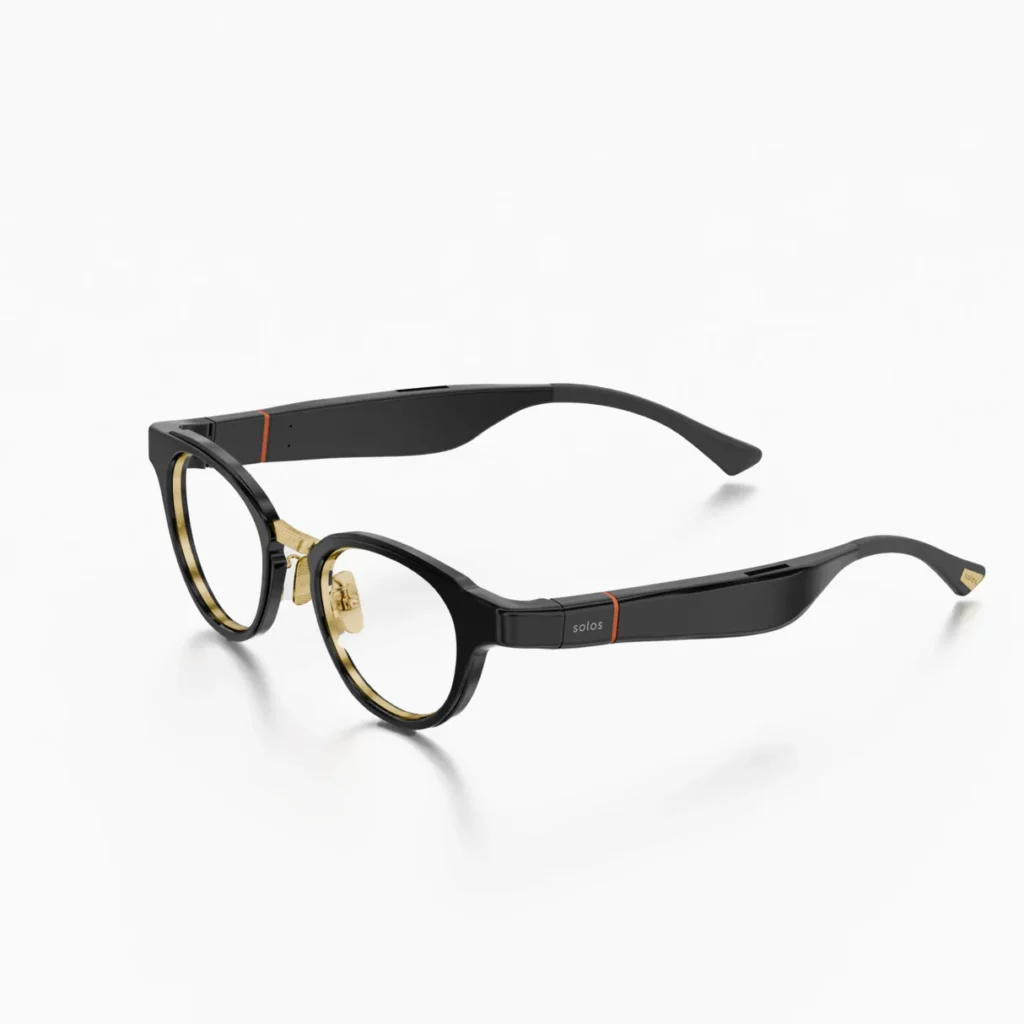

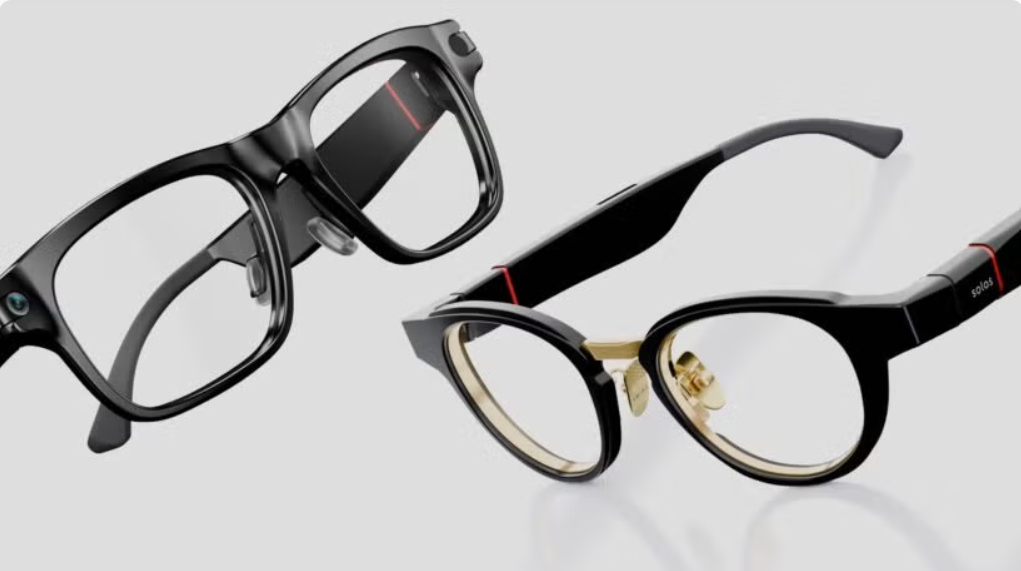
What are Solos AirGo V2 translation glasses?
This is an AI translation glasses model that is extremely smart. The device supports advanced AI technology. The product helps you communicate by voice easily. These glasses are capable of translating multiple languages. The device supports calling very conveniently. You can receive voice commands quickly. The glasses connect smoothly with smartphones. The design of the glasses is very fashionable and easy to use. The product does not have many complicated tech terms. Beginners can easily get started. >>> See more at: Solos AirGo V2 Translation GlassesWho is Solos AirGo V2 suitable for?
This product is very suitable for tourists. People who travel abroad frequently should own it. The device is helpful for business people. Those who regularly meet international partners should buy it. Language learners also really need this device. The glasses help you practice daily communication. The product is designed for smart wearable tech enthusiasts. The design of the glasses is very compact and elegant. You will have a hands-free assistance tool. Communication becomes more natural than ever.What needs to be prepared before using Solos AirGo V2?
First of all, you need to check the product box. Carefully examine the glasses and accompanying accessories. You should fully charge the glasses. A full charge ensures the setup process is not interrupted. Prepare a smartphone. Bluetooth needs to be turned on in advance on the phone. Download the Solos companion app. This app is available on Google Play and the App Store. You need to check your phone's internet connection. A stable network helps make online translation more accurate.How to connect Solos AirGo V2 to a phone
The first step is to turn on the glasses. Next, open Bluetooth on your phone. Tap to search for nearby devices. Look for the device name Solos AirGo V2 translation glasses. Tap on that device name. Wait a few seconds for the two devices to pair. Then, open the newly downloaded Solos app. Follow the instructions on the app screen. The initial setup will be completed quickly.How to set up translation languages on the Solos AirGo V2 translation glasses
Open the Solos app on your phone. Find and select the conversation translation section. Choose your native language. Next, select the language of your conversation partner. Check the glasses' microphone system again. You should also adjust the volume accordingly. Careful preparation ensures a smooth conversation. You are now ready to start communicating.How to use the translation feature for face-to-face communication
Wear the glasses properly on your face. Maintain a natural speaking distance. Speak clearly and articulate your words well. Speak at a moderate pace, not too fast. Avoid overly long sentences. Let the glasses and the app capture the audio. The AI system will process the voice data. The translation will play back through the glasses' speakers. Continue the conversation using short sentences. This helps maintain high translation accuracy.How to use Solos AirGo V2 translation glasses when traveling
You can use the glasses to ask for street directions. The device is very useful when ordering food. Use the glasses when buying subway tickets. Checking into hotels will no longer be difficult. You should select the language pair before heading out. Fully charge the glasses before leaving your room. Make sure to bring a phone with a stable internet connection. Avoid using the glasses in overly noisy environments. Quiet places help the glasses capture audio better. >>> See more at: Solos AirGo V2 Translation Glasses
How to use Solos AirGo V2 translation glasses at work
Use the glasses for quick discussions with clients. The device is very handy when meeting partners at trade shows. You can use them in product showrooms. Speak concisely and one point at a time at work. This minimizes translation discrepancies. For important contracts, please take note: you should cross-check with official written documents. Do not rely entirely on AI translation. In-depth technical terms require extra caution.How to use other smart features on Solos AirGo V2 translation glasses
You can connect the glasses to answer phone calls. This feature enables hands-free calling. Use the voice assistant for quick commands. You can easily listen to notifications from your phone. Enjoy listening to music while walking. Remember to adjust the volume according to your surroundings. Regularly update to the latest Solos app. Keeping it updated helps improve your user experience.Common issues when using Solos AirGo V2 translation glasses
Sometimes the glasses fail to connect via Bluetooth. The phone app might not recognize the glasses. The recording microphone can sometimes be unclear. Translations may lag due to a weak network connection. Translations are occasionally not completely accurate. The battery may drain quickly with continuous use. The glasses' volume might sound a bit low in crowded places. These are common issues that users encounter.How to troubleshoot connection and translation issues
If you encounter an error, turn Bluetooth off. Then, turn Bluetooth back on on your phone. Restart both the glasses and your phone. Check the app's microphone access permissions. Ensure your phone has the most stable internet connection possible. Update the app to the latest version. Recharge the battery if the glasses show low power. You can put the glasses back into pairing mode. Setting them up again from scratch will resolve the issue. >>> See more at: Solos AirGo V2 Translation Glasses
Tips for using Solos AirGo V2 translation glasses more effectively
Speak slowly and enunciate each word clearly. Express complete thoughts using basic, correct grammar. Avoid mixing multiple languages in speech. Select the correct language pair before speaking. Try to avoid environments with too much noise. Clean the microphone area periodically. You should also clean the glasses' speaker section. Practice using them at home before your trip. This will help you use them more smoothly.Notes when using Solos AirGo V2 translation glasses
These AI translation glasses are a support tool. The product does not completely replace a professional human translator. Do not use translations as the sole legal basis for contracts. Medical information must be double-checked. The same applies to legal or financial information. Store the glasses in their dedicated case. Avoid subjecting the glasses to impacts or exposure to water. Proper care will help extend the lifespan of the glasses.Should you buy Solos AirGo V2 translator glasses if you need AI translator glasses?
You should consider your actual needs. The product is very suitable for daily communication needs. The glasses meet the requirements for traveling abroad well. The product supports foreign language learning excellently. Basic exchanges with foreigners work very well. If you need more in-depth specialized translation, you may consider dedicated translator devices. However, this is still a product very well worth buying.Conclusion
This article has provided instructions on how to use Solos AirGo V2 translator glasses. Important steps include charging the battery and connecting. You need to select the correct language on the app. Please speak clearly and check your internet connection. Feel free to contact us for further advice. We will help you choose the most suitable pair of glasses. >>> See more at: Solos AirGo V2 Translation Glasses The product is currently available at Sahaha Shop Hanoi and Sahaha Shop Ho Chi Minh City<strong>Outstanding Features of Vtalk AI Ear Translation Headset</strong><b data-path-to-node="11" data-index-in-node="0">Integrated AI translation algorithms</b>for detailed answers.