
 English
  Tiếng Việt
What is a translation headset?
An interpreter headset is a device that supports real-time language conversion, helping users communicate more easily with foreigners. Instead of typing each sentence into a translation app on their phone, users simply wear the headset, select the language, and start conversing.
The device captures speech, processes the content using AI technology, and then plays the translation through the headset, external speaker, or displays it on an app. As a result, interpreter headsets have become useful tools for travel, business trips, language learning, meeting international partners, multilingual meetings, and daily communication.
However, for an interpreter headset to work well, users need to know how to connect it, select the correct mode, speak properly, and handle some basic errors. The following article will guide you on how to use an interpreter headset from A to Z, especially with featured models like the Timekettle X1 AI Interpreter Hub and Timekettle W4 Pro.
Why is it necessary to know how to use an interpreter headset correctly?
Vì sao cần biết cách sử dụng tai nghe phiên dịch đúng cách?
If you select the wrong language, position the microphone incorrectly, speak too fast, or use it in a noisy environment, the translation may be delayed, inaccurate in meaning, or the speech may not be recognized. Conversely, if used correctly, an interpreter headset can support communication that is much faster, clearer, and more natural.
Understanding how to use it helps you:
Connect the device faster.
- Select the correct translation mode for each situation.
- Increase accuracy during translation.
- Minimize errors such as connection loss, failure to recognize speech, or incorrect translation.
- Make good use of features like 1-on-1 conversations, external speakers, listening translation, group meetings, or offline translation.
- Be more confident when using the device for work, travel, and international communication.
- Preparation before using an interpreter headset
Prepare Before Using Translation Earbuds
1. Fully charge the headset and charging case
1. Fully Charge the Earbuds and Charging Case
For wireless interpreter headsets, the charging case serves as both a storage place and an additional power source for the headset. When the battery is low, the device may disconnect, have low volume, or operate unstably.
2. Check Internet connection
2. Check Internet Connection
Most AI translation earbuds require an internet connection for online translation processing. You should check your Wi-Fi, 4G, or 5G before using them. The more stable your network connection, the faster the response speed and the smoother the translation.
Some devices support offline translation for certain language pairs. However, if you want to use this feature, you need to download the language pack before losing connection or before traveling abroad.
3. Install Supporting Application if Needed
Many AI translation earbud models require connection to an app on your phone to select languages, translation modes, update software, and manage the device. With the Timekettle W4 Pro, users connect to the Timekourse App on their mobile device.
After installing the app, you should grant access permissions for Bluetooth, microphone, notifications, and network connection for the device to function fully.
The Timekourse X1 AI Interpreter Hub is a standalone hub-type translation device that can be operated directly on the device and is less dependent on a phone for basic usage. This is a significant advantage for business users, meeting attendees, or those who need quick operations.
How to Connect Translation Earbuds
Step 1: Turn on the Earbuds or Translation Device
Take the earbuds out of the charging case or turn on the device. For some earbud models, the device will automatically enter pairing mode when first removed from the charging case.
If the device is not in connection mode, you can press and hold the function button or follow the instructions included with the product.
Step 2: Turn on Bluetooth on your phone
Open Bluetooth on your phone, then find the translation earbud device name in the list of available devices. Select the correct product name to connect.
If you are using earbuds with a dedicated app, it is recommended to connect through the app to ensure full functionality, rather than just connecting in your phone's Bluetooth settings.
Step 3: Open the translation app
After connecting via Bluetooth, open the supporting app. The app will usually display the device status, battery level, language pairs, translation modes, and other settings.
For hub-type devices like the Timekourse X1, you can operate directly on the device's screen to select the appropriate translation mode and language.
Bước 4: Kiểm tra micro và âm thanh
Before using it in a real conversation, you should try saying a short sentence to test the microphone, speaker, and translation. If the headset doesn't pick up your voice, check the microphone permissions, the headset's wearing position, and the Bluetooth connection.
How to select translation language
After connecting successfully, the most important step is to select the correct source and target languages.
Example:
- You speak Vietnamese, the other person speaks English: select Vietnamese ↔ English.
- You speak Vietnamese, the other person speaks Chinese: select Vietnamese ↔ Chinese.
- You want to listen to a Japanese presentation and understand it in Vietnamese: select Japanese → Vietnamese.
- You need to discuss work with Korean clients: select Vietnamese ↔ Korean.
If you select the wrong language, the device may not recognize the content correctly or translate it incorrectly. Therefore, before starting a conversation, double-check the language pair again.
Common translation modes on translation earbuds
Each brand of translator headset will have different modes, but generally, there are usually the following common modes.
1. 1-on-1 Conversation Mode
This mode is used when two people speaking different languages converse directly with each other. Each person can wear one earbud, or one person can use the headset and the other person listens to the translation through the external speaker.
This mode is suitable for meeting foreign partners, consulting customers, asking for directions, ordering food, communicating while traveling, or personal conversations.
2. Loudspeaker Mode
External speaker mode allows the translation to be played through the phone's speaker or the device's speaker, without needing to hand the headset to the other person. This is a convenient option when you are talking to strangers, shop staff, drivers, hotel receptionists, or tourists.
3. Listen Mode
Listening translation mode is suitable when you need to listen to one person speaking continuously, for example, in a presentation, class, conference, or meeting. The device will help capture the audio and convert it into the language you understand.
4. Tap to Talk Mode
In this mode, users tap on the earpiece or a button on the app to start speaking. After finishing, the device processes and delivers the translation. This mode offers better control over speaking turns, reducing the chance of people talking over each other.
5. Group Meeting Mode
Some high-end devices like the Timekettle X1 AI Interpreter Hub support multilingual meeting needs. The device is suitable for businesses, training organizations, conferences, or group work where multiple people speak different languages.
How to use translation earbuds in different situations
Use when traveling
When traveling, translator earpieces can assist with asking for directions, ordering food, buying tickets, booking rooms, airport check-ins, or basic communication with locals.
You should use the speakerphone or 1-1 conversation mode. Speak in short, clear sentences and avoid asking overly long questions. For example, instead of a complex sentence, break it down into simpler ones like:
"I want to go to the train station."
"Which is the fastest way?"
"How much does it cost?"
"Can you help me?"
Use when meeting foreign partners
When meeting partners, you should prepare the language pair in advance and test the device before the meeting. For work-related content, state each point clearly, avoiding overly long sentences or unnecessary jargon.
If discussing important content such as contracts, quotations, payment terms, or technical specifications, you should double-check the text translation to avoid misunderstandings.
Use when selling to international customers
For shops, showrooms, hotels, restaurants, or tourist areas, translator earpieces help staff easily consult with foreign customers.
You can use the speakerphone mode for customers to hear the translation directly. When consulting, speak each point clearly, such as:
"This product comes with a 12-month warranty."
"You can check it before buying."
We offer home delivery.
Would you like to pay by cash or bank transfer?
Use when learning a foreign language
Translation earbuds can help language learners practice listening and understand meanings faster. You can use the device to listen to sentences, view translations, and compare expressions between two languages.
However, the device should only be considered a supporting tool. Learners still need to practice pronunciation, vocabulary, grammar, and communication reflexes to truly improve their foreign language skills.
Use in meetings or training
For multilingual meetings, you should choose a device with a mode suitable for group conversations. The Timekettle X1 AI Interpreter Hub is a worthwhile option because the device is designed as an independent translation hub, more suitable for corporate, conference, and training environments.
Before the meeting, check the battery, network, language pair, and device placement. If the meeting room is too large, ensure the speaker is close enough to the microphone for the device to capture sound clearly.
How to use Timekettle X1 AI Interpreter Hub
The Timekettle X1 AI Interpreter Hub is a high-end AI translation device, suitable for businesses, conferences, training, and professional international communication. The device functions as an independent translation hub, not requiring a phone app for basic usage.
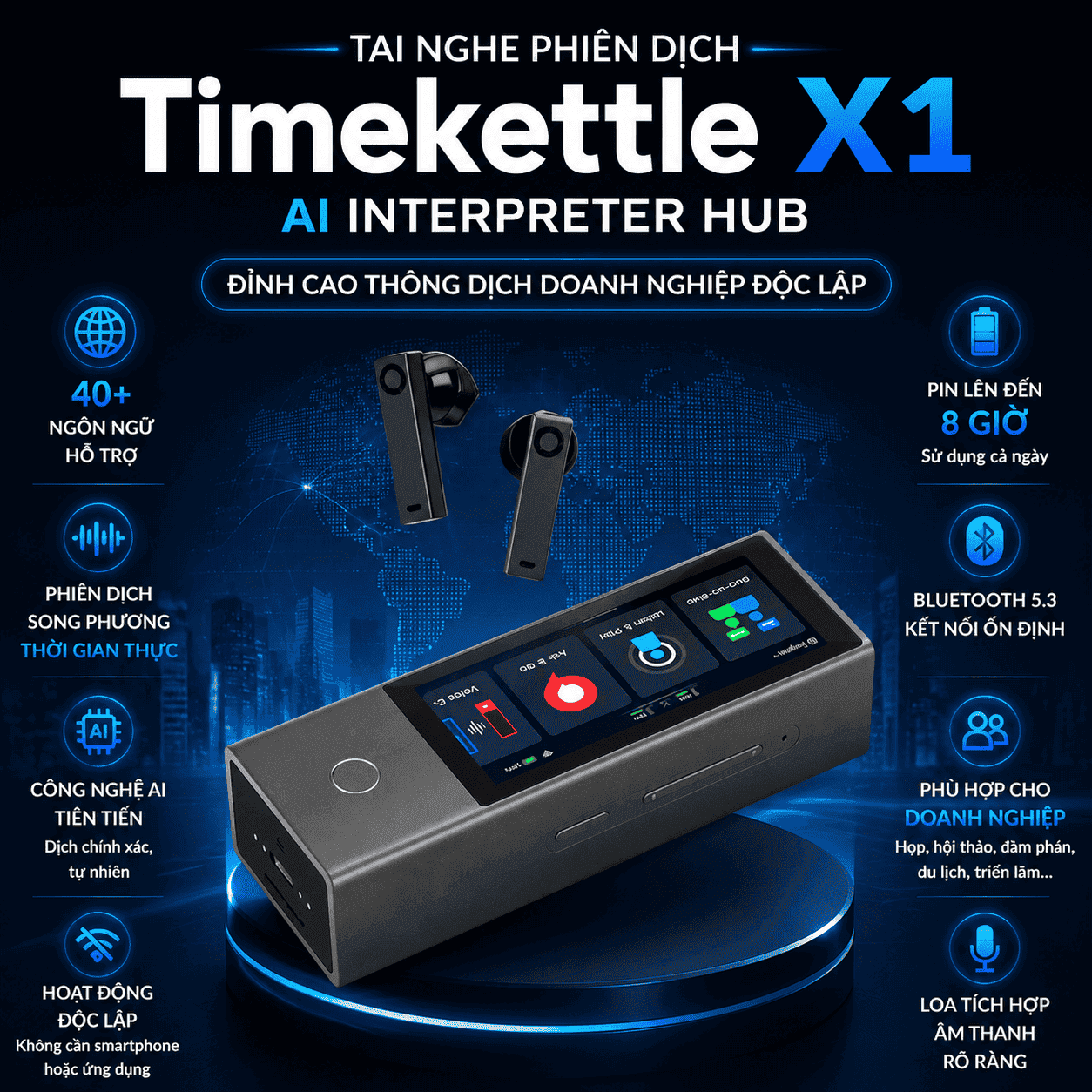
How to use Timekettle X1 basically
To use the Timekettle X1, you can follow these steps:
- Fully charge the device before use.
- Turn on the Timekettle X1.
- Connect to Wi-Fi or Bluetooth if needed.
- Select the appropriate translation mode.
- Select the source and target languages.
- Check the microphone, earbuds, and external speaker.
- Start the conversation or meeting.
- Follow translations on your device or listen via earbuds.
When should I use Timekettle X1?
Timekettle X1 is suitable for situations that require more professional translation, such as:
- Meetings with foreign partners.
- Multilingual conferences.
- Training with international experts.
- Group discussions with multiple people.
- Working in a corporate environment.
- Business communication that requires a high degree of proactivity.
>>>See the product: Timekettle X1 AI Interpreter Hub Translation Earbuds
How to use Timekettle W4 Pro
Timekettle W4 Pro is a premium wireless translation earbud, suitable for work, travel, and daily international communication. The device uses the Timekettle App on your phone, supporting various translation modes such as One-on-One, Speaker, and Listen & Play.
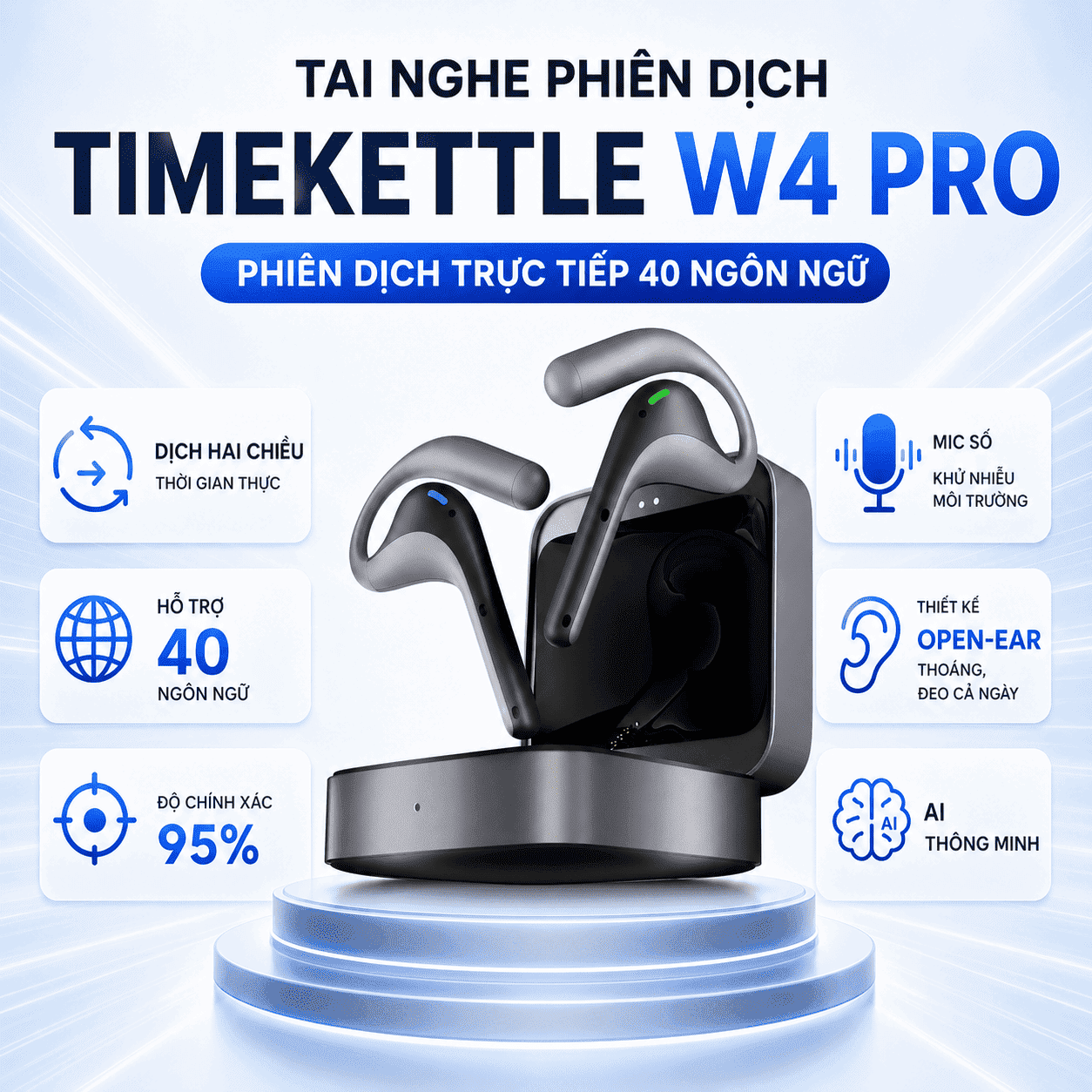
Basic Usage of Timekettle W4 Pro
The steps to use Timekettle W4 Pro include:
- Fully charge the earbuds and charging case.
- Download and open the Timekettle App on your phone.
- Turn on Bluetooth on your phone.
- Take the earbuds out of the charging case.
- Connect the headset to the app.
- Select the language pair to translate.
- Choose the appropriate translation mode.
- Wear the headset correctly.
- Speak clearly, in short sentences for better processing by the device.
When to Use Timekettle W4 Pro?
Timekettle W4 Pro is suitable when you need a lightweight, easy-to-carry device that can be used flexibly in various situations:
- Business trips abroad.
- Meeting international clients.
- Independent travel.
- Attending presentations or conferences.
- Learning foreign languages.
- Daily communication with foreigners.
>>>See the product:Timekettle W4 Pro Translation Headset
Tips for Using Translation Earbuds More Accurately
To increase accuracy when using translation headsets, you should note:
- Speak slowly, clearly, and without slurring words.
- Break long sentences into shorter ones.
- Avoid mixing multiple languages in one sentence.
- Do not speak at the same time as the person you are talking to.
- Choose the correct language before starting.
- Use the device in a quiet place.
- Wear the earphones in the correct position for the microphone to pick up sound well.
- Check your Internet connection before use.
- Update the app when a new version is available.
- For important content, double-check the translation.
Common Issues with Translation Earbuds and How to Fix Them
Earbuds Not Connecting to Bluetooth
You should check the Bluetooth on your phone, place the earphones back in the charging case, then take them out to reconnect. If it still doesn't work, forget the device in the Bluetooth settings and pair again from the beginning.
App Not Recognizing Earbuds
Check if the app has been granted permissions for Bluetooth, microphone, and location. Some phones require location services to be enabled to find nearby Bluetooth devices.
Earbuds Not Recognizing Voice
The cause may be that microphone permissions have not been granted, they are worn incorrectly, the microphone is blocked, or the environment is too noisy. Check microphone permissions and try speaking in a quieter place.
Translation Delay
Slow translation is often due to a weak internet connection, sentences that are too long, or the device processing multiple sounds at once. Use a more stable internet connection and speak in short sentences.
Inaccurate Translation
This can happen when speaking too quickly, using slang, regionalisms, sentences lacking context, or selecting the wrong language. Speak more clearly, use simple sentences, and check the language pair again.
Where to buy genuine translation earbuds?
You can visit the store directly for consultation, product experience, and testing before purchasing.
Hotline for advice: 0386.001.001or0917.834.532
Address in Hanoi:
226 Lang Street, Dong Da District, Hanoi
Near Nga Tu So
Address in Ho Chi Minh City:
137 Hoa Hung Street, Ward 12, District 10
At the store, you can be guided on how to connect the headphones, select languages, choose translation modes, and try out the product according to your actual needs.
Frequently Asked Questions About Using Translation Earbuds
Do translation earbuds require Internet?
Most translation headphones need Internet for faster and more accurate online translation. Some models support offline translation for certain languages, but users need to download the data before use.
Are Translation Earbuds Easy for Beginners to Use?
Yes. Beginners only need to charge the battery, connect to Bluetooth or Wi-Fi, open the app if necessary, select the language, and choose the appropriate translation mode. After a few operations, using it will be quite simple.
Can Translation Earbuds Be Used in Meetings?
Yes. For regular meetings, users can use listening translation or conversation modes. For professional multilingual group meetings, high-end devices like the Timekettle X1 AI Interpreter Hub are recommended.
Are translation earbuds 100% accurate?
No translation device guarantees 100% absolute accuracy in all situations. Accuracy depends on the audio environment, pronunciation, speaking speed, context, language pair, and network connection.
How to Speak for Better Translation with Earbuds?
You should speak slowly, clearly, in short sentences, and avoid slang or overly complex sentences. If the content is important, double-check the translation before confirming.